Setup guide
osu! API
With your osu! api, you'll be able to see matching leaderboards to bancho, plus the ability to sync/import your top plays from bancho
on your browser
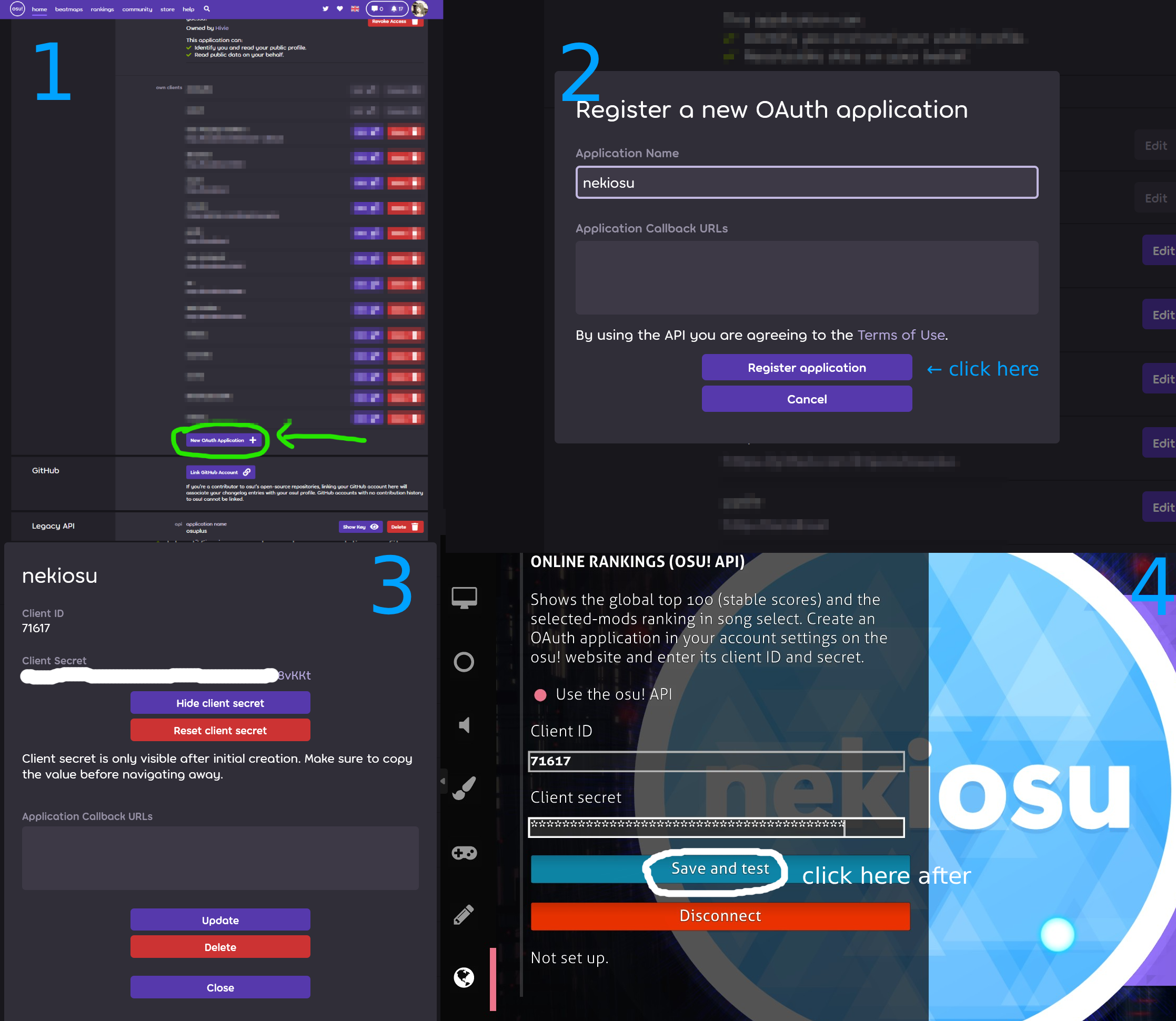
Sign in at osu.ppy.sh → Settings and scroll down to OAuth.
Click New OAuth Application
Give it any name, for example
nekiosu. Leave callback URL empty and click Register application.Keep that page open: you need its Client ID and Client Secret (click Show client secret).
in game
Open Options → Online → Online rankings (osu! API).
Paste the client ID into Client ID and the secret into Client secret.
Click Save and test. It should say Connected. Online rankings are available in song select.
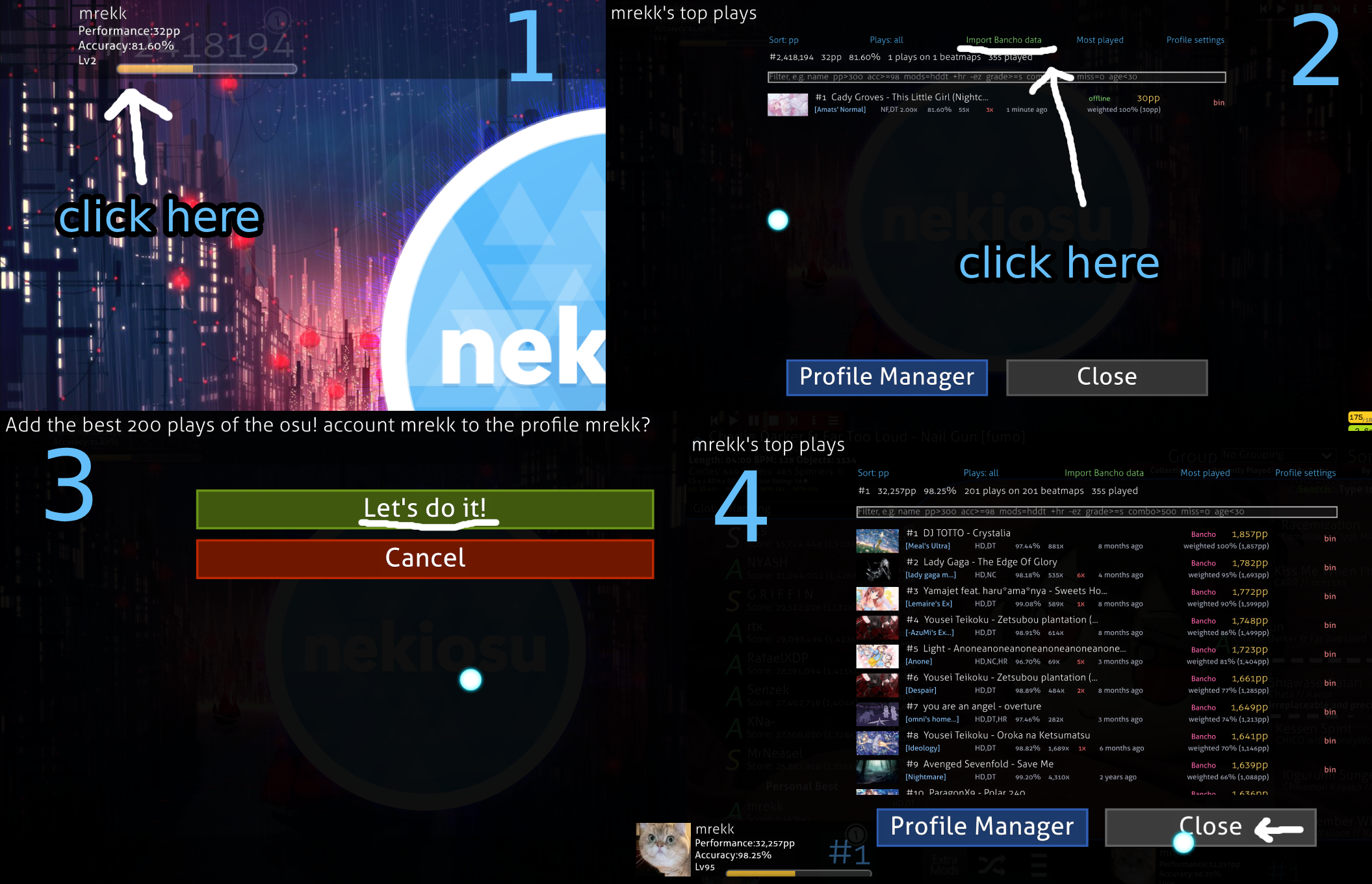
Rankings now appear in song select. To import your Bancho data, click your name at the top left and choose Import Bancho data.
If it doesn't connect
Check that you copied the whole secret, without trailing spaces
If the Online tab says "internet is turned off", turn it on in the launcher.
If you come across any other unexpected issues, contact me
Discord bot
Your own bot shows your nekiosu plays on Discord: /rs for your latest play, plus top plays, profile and more. It runs inside nekiosu, so it's online while the game is open. It works in any server, DM or group you're in, and answers only you.
Create the bot on Discord
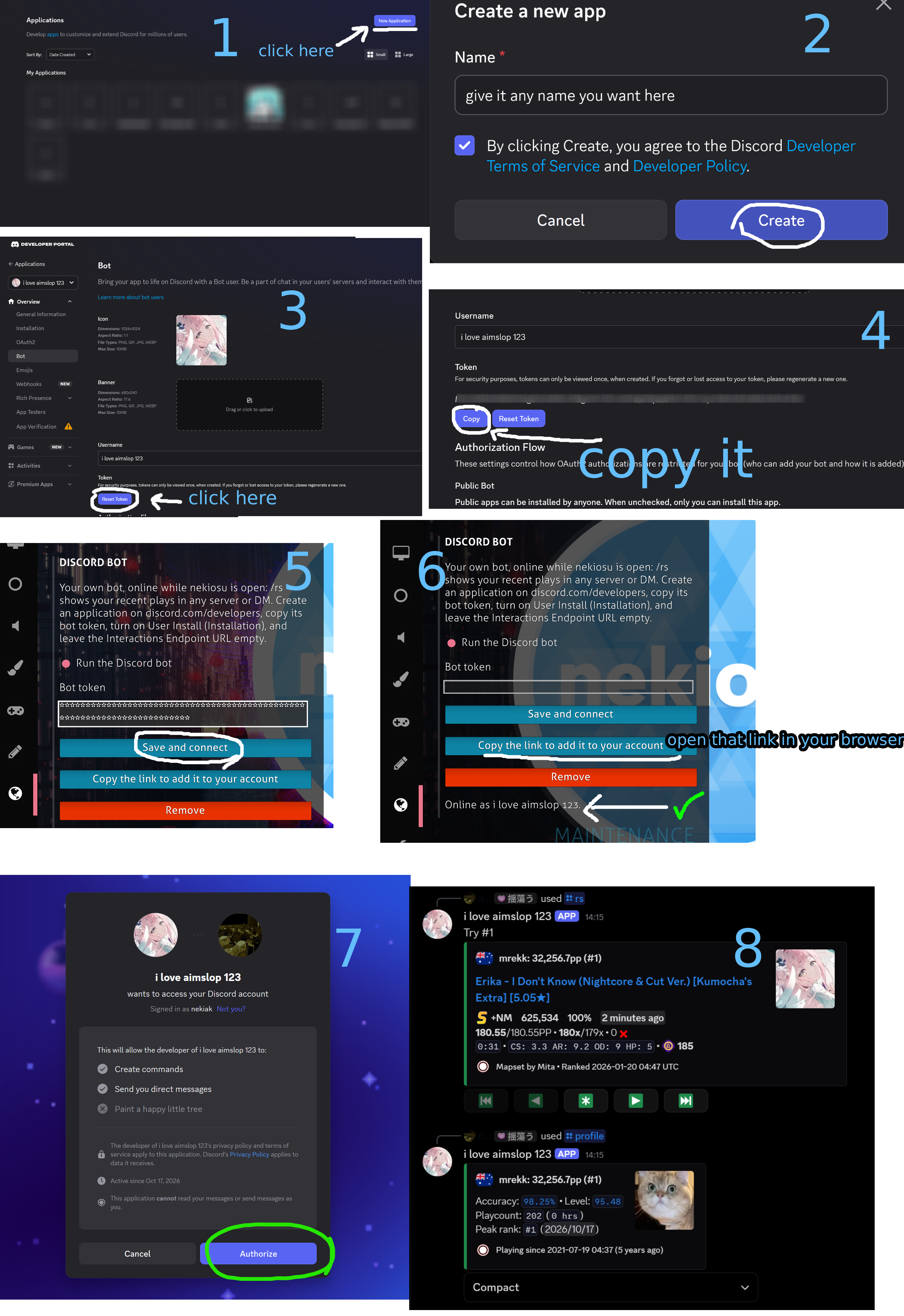
Open the Discord Developer Portal, click New Application, name it (this is the bot's name) and create it.
Go to Bot, click Reset Token, confirm, and copy the token. Discord shows it only once; if you lose it, reset it again.
Optionally add a profile picture to the bot if you feel like it
Connect it in nekiosu
Open Options → Online → Discord bot.
Paste the token into Bot token and click Save and connect. After a moment the status reads Online as …
Click Open the link to add it to your account, open the link in your browser, choose Add to My Apps and authorize.
In Discord, type
/rsin any chat. The first time, Discord may take a minute to show the commands.
Commands
/rsyour latest play, with pages for older ones/rlyour recent plays as a list/topyour top plays, with sorting, mod filters and search/rbyour newest top plays/profileyour profile and statistics/ppwhat it takes to reach a total pp/whatifwhat a new play of some pp would do/nochokeyour top plays if none were choked/mostplayedthe beatmaps you played most/pingchecks that the bot is runningTo show a flag next to your >rs, click your name at the top left, open Profile settings and enter your country (two letters, like
US) (importing bancho's data already auto sets it)
bot troubleshoot
nekiosu has to be open, and internet turned on in the launcher.
If the status mentions the Interactions Endpoint URL, clear that field in the Developer Portal.
Another nekiosu is running this bot: close the other copy of the game.
If the commands don't show up, check that you added the app with Add to My Apps, then restart Discord.